



Meet ZAC
Everything you need to connect — all on one platform.
ZAC accelerates business by bringing together voice, messaging, and video conferencing into a single, seamless workspace — accessible through ZAC on desktop, Web ZAC via browser, and Mobile ZAC for iPhone and Android. Empower employees to work more efficiently and securely from anywhere and leverage our Integrated Contact Center through the very same UI to deliver the ultimate omnichannel customer experience.
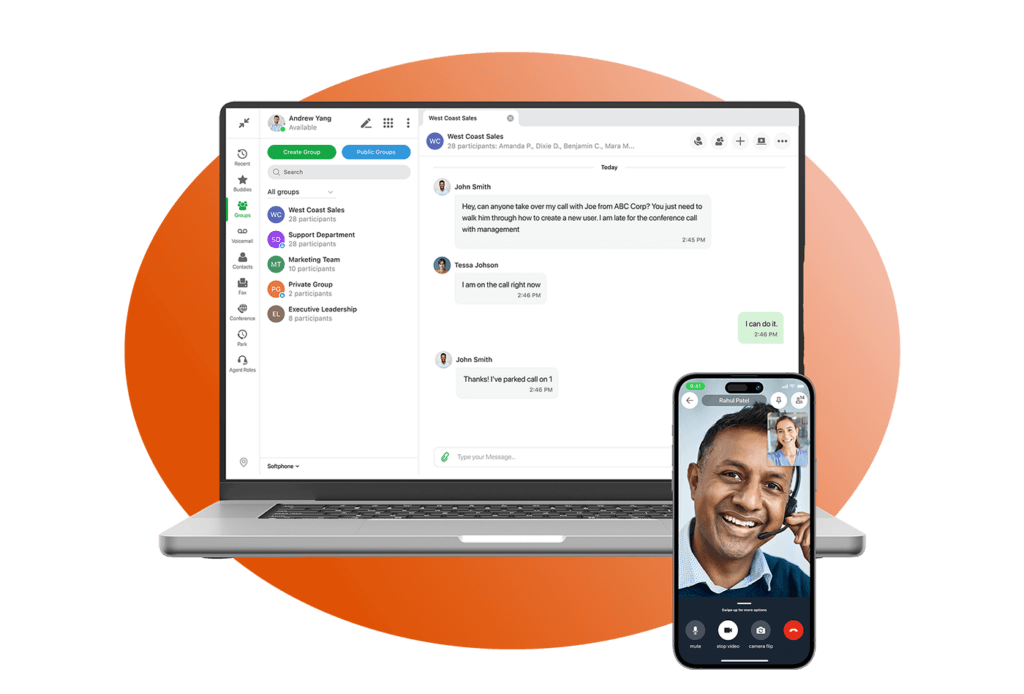
Powerful Team Collaboration
Get a communications experience that’s consistent across all your devices, from desktop to mobile to browser.
A Power-Packed Desktop Application
ZAC's collaboration tools like voice, video, file and image sharing, and messaging allow employees to increase productivity and make collaboration simple.
A Feature-Rich Mobile App
With Mobile ZAC, the iOS and Android applications have feature parity. The same features on desktop are optimized for the mobile app to create a seamless experience.
An Easily Accessible Web Browser Solution
ZAC is available as a desktop application or via Web ZAC's browser-based solution. It’s available with no downloads, on any OS, and supported by multiple browsers.
Always Stay Connected With Your Team
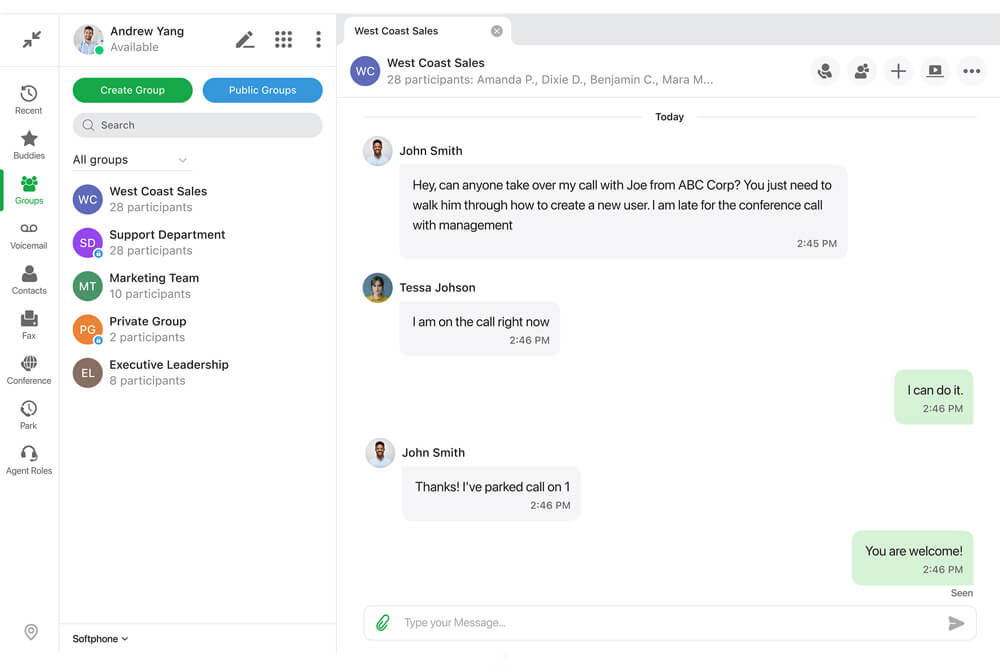
Group Chat
ZAC’s Group Chat feature is a virtual conference room for collaboration. Teammates can send secure instant messages between each other using the ZAC desktop application, Web ZAC, or Mobile ZAC. It’s an easy-to-use method of communication between teams, regardless of their physical location.
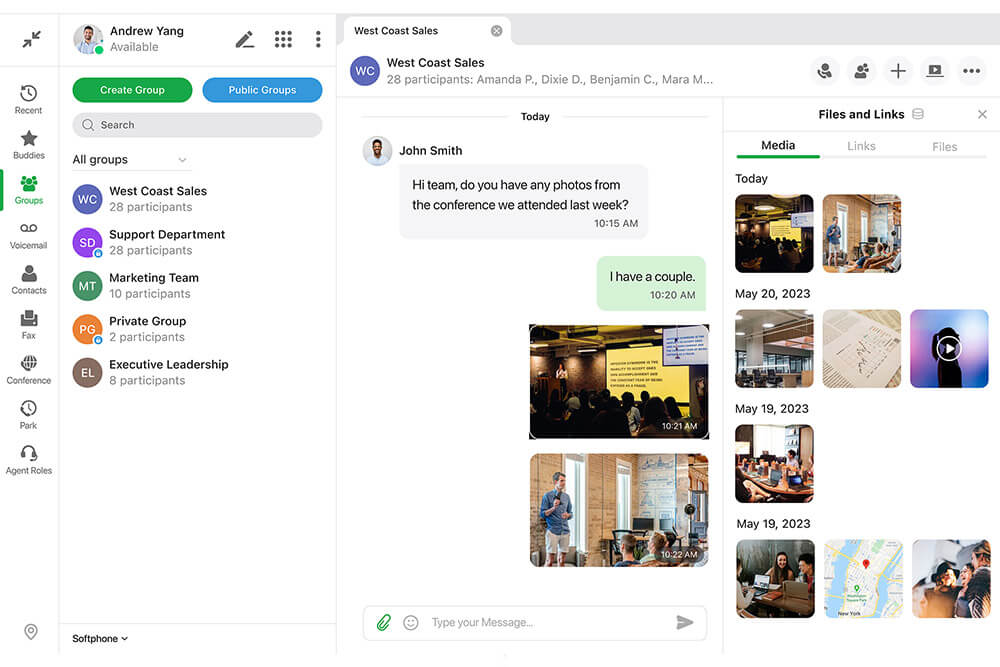
File & Image Sharing
Users can post files and images in ZAC. Utilize this tool to easily share documents and proposals, keeping your team focused and on task. Create groups of team members and ensure that everyone gets the important information they need at the same time.
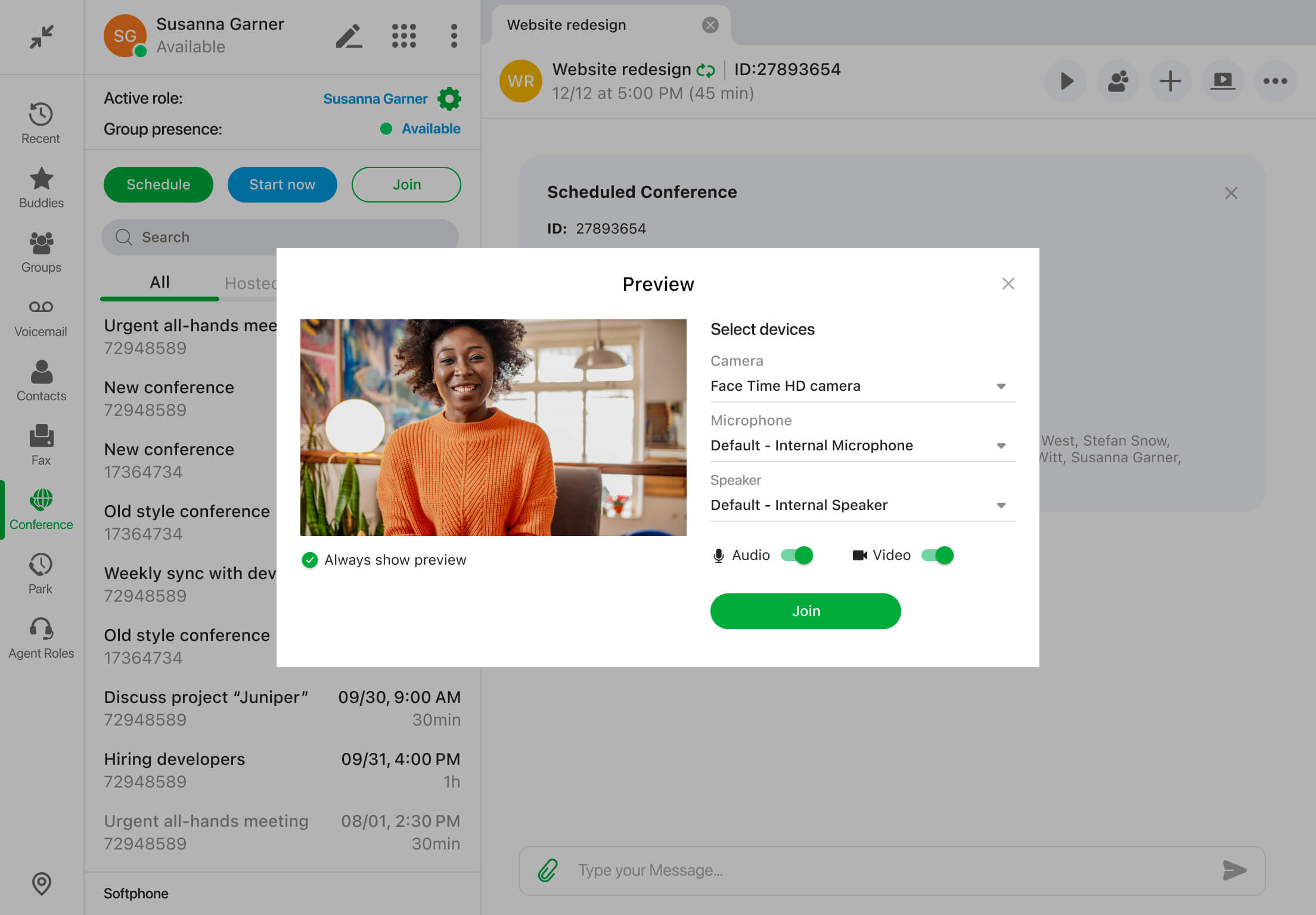
Conference Calling
With a simple click, any team member can start a conference call, and employees can freely jump on and off the call at their convenience, allowing team members to share ideas and proposals and review tasks, all within one UC solution.
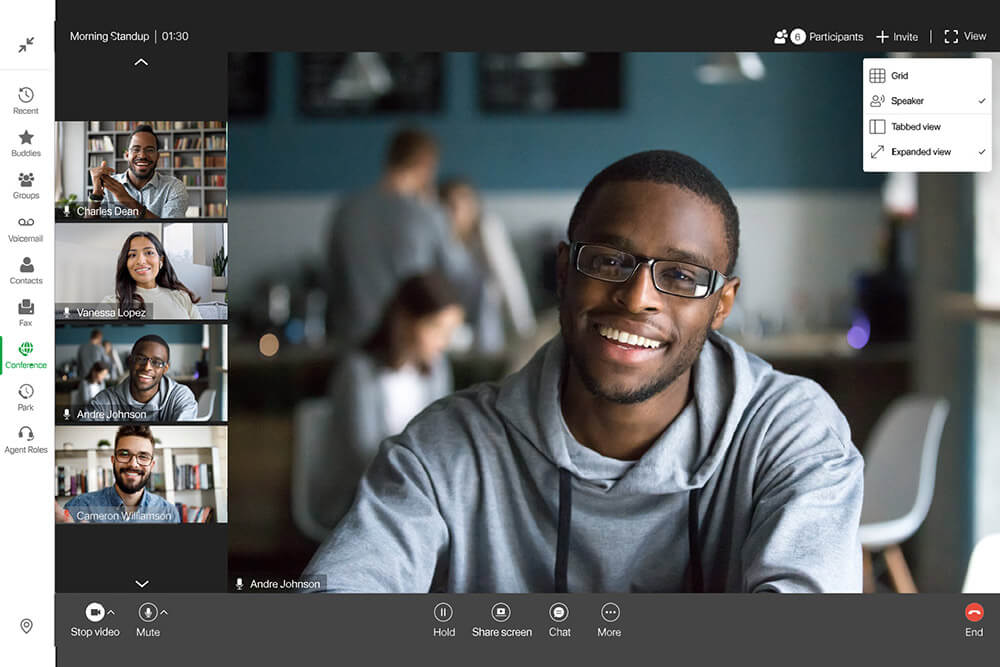
Multi-Party Video Conferencing
For a more personalized experience, users can host a video call with multiple teammates, bringing remote teams together for increased collaboration. Zultys can enable multi-party video for customers on request as well.
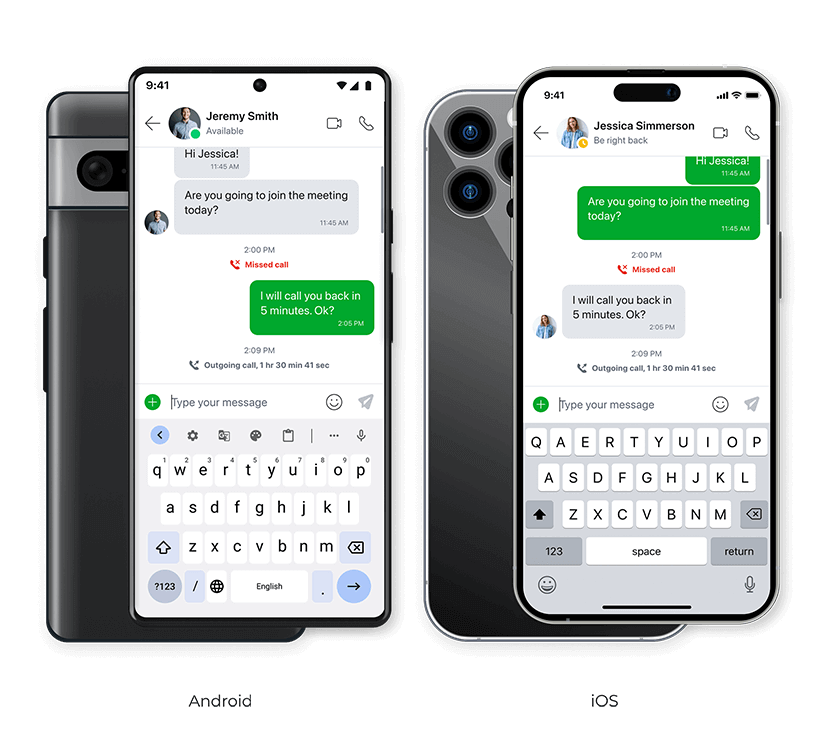
Mobile ZAC
Our mobile app brings the full power of ZAC to iOS and Android devices, delivering a modern, intuitive experience. With consistent design and feature parity, users can move seamlessly between desktop and mobile without disruption. Core capabilities have been optimized for mobile, enabling effortless communication and collaboration from anywhere.


Collaboration Beyond Company Borders
ZAC brings customers and employees together seamlessly.
When you need to bring in contacts outside the organization to work together with your employees, you don’t need to launch a separate application for their benefit. You can temporarily enable their access to your ZAC group or start a new chat session with the contact.
You can initiate the process easily and securely with a password-protected link, and the external contact can use any browser to launch a chat session. They can even share their screen, make audio and video calls, and share files. ZAC can be your collaboration hub, not only for internal teams but also for cross-company projects and external customers, providing a deeper level of enhanced customer engagement.
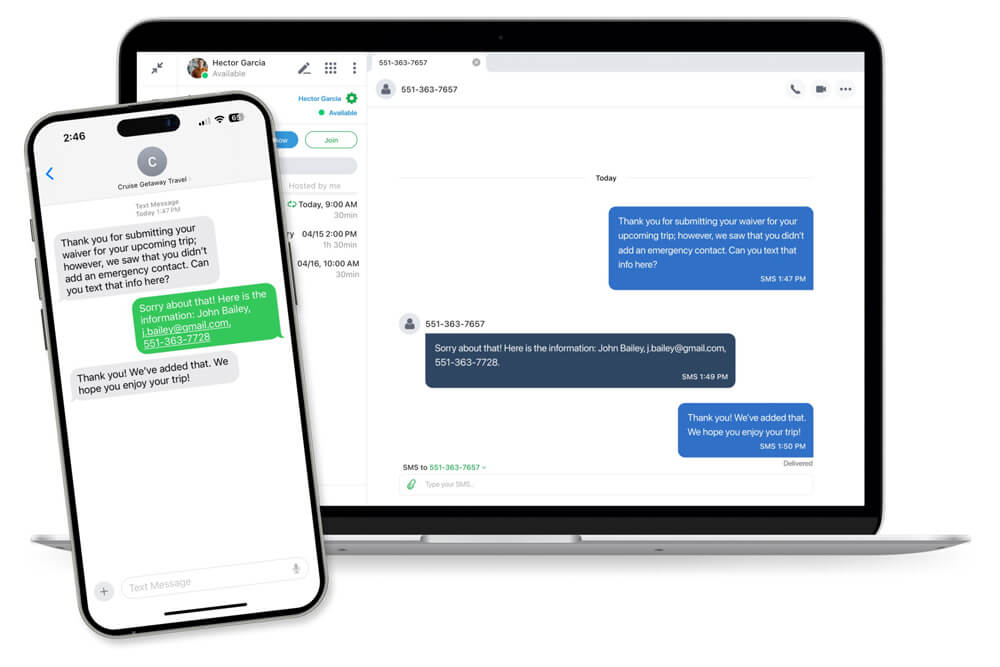
Improving the Mobile Work Experience
- Communicate with clients and coworkers via IM text & SMS messages.
- Easily host or join a video conference, whether it’s for a group or one-on-one.
- Start ad-hoc conferences or schedule both one-time and recurring conferences within the app.
- Optimize your call group workflow by getting operator, ACD, and other Agent calls in the office or on the go.
- Contact Center Agents can view the Agent Roles screen to see the availability of teammates and monitor calls in queue from the application.
- Add notes to your calls with Call Attached Data (CAD) questioners that stay with call when it’s transferred to other users.
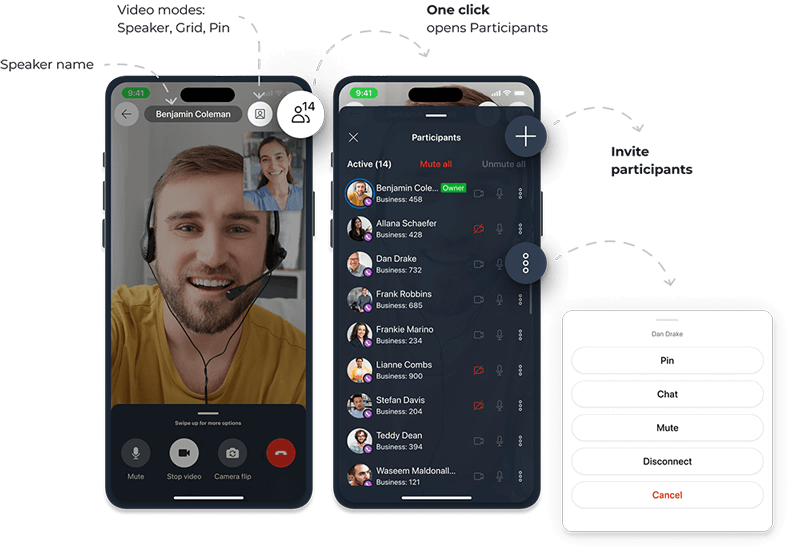
Find out why ZAC is right for you.
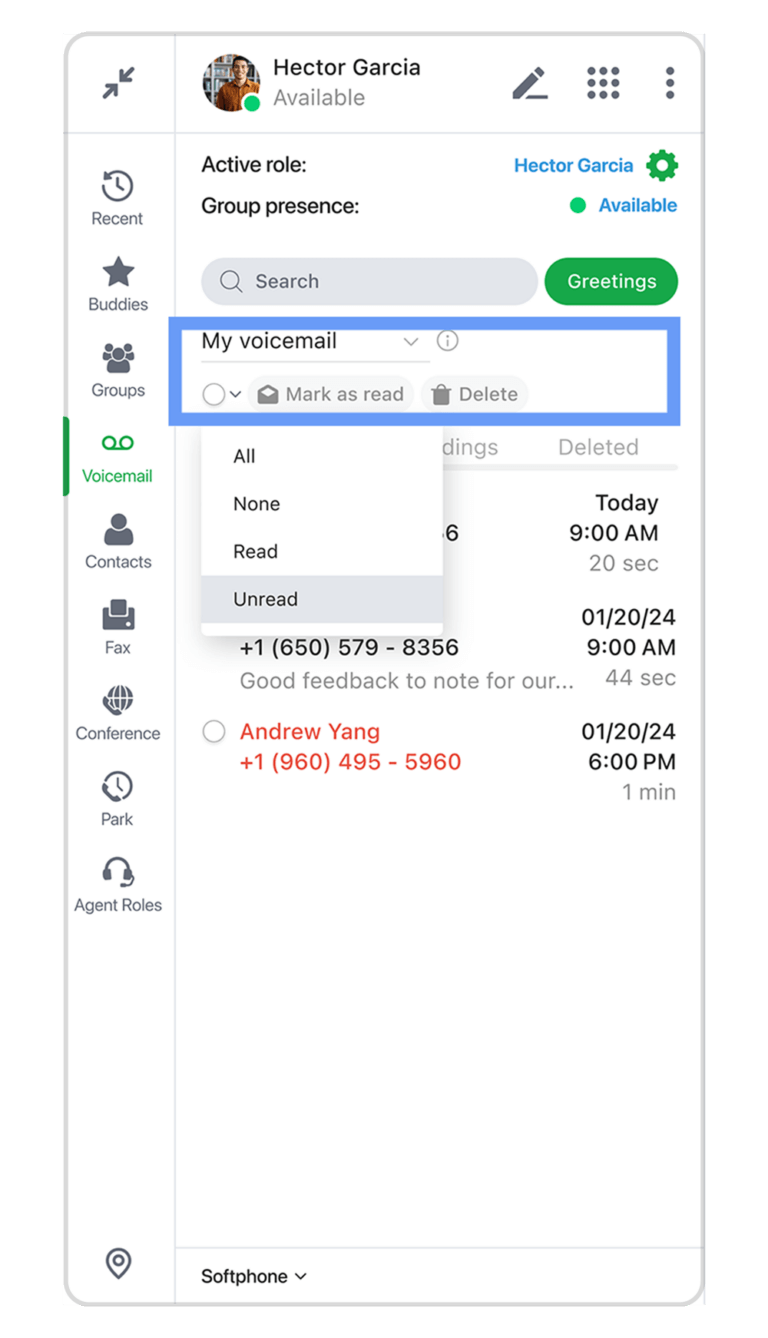
ZAC’s visual voicemail interface eliminates the time-consuming process of listening to messages in the order they came in. If an employee can tell a message is meant for someone else, it can be sent directly to the correct person immediately. No need to listen to the full recording or navigate a complicated menu. The transferred message will appear in the coworker’s voicemail inbox instantly and can even include a quick note from the employee who made the transfer.
ZAC can also send and receive fax messages straight from the application, with no need for an office fax machine. Incoming faxes can be viewed in ZAC or in email and can be transferred to other employees if necessary.
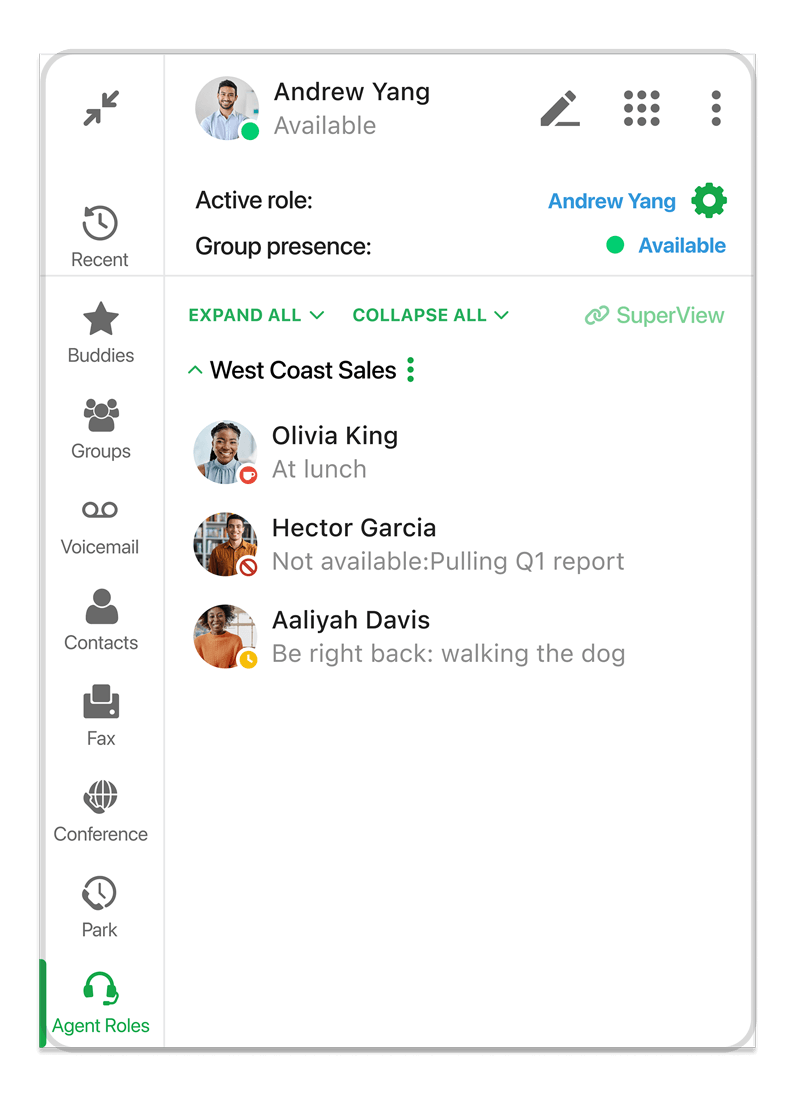
ZAC supports a range of Operator Groups and multiple levels of Agent Roles, letting users log into multiple roles simultaneously, Call Groups and their personal User Extension. Incoming Group calls are distinguished from calls to their User Extension, allowing employees to adjust their greetings accordingly. Conversely, Agents can make outbound calls with the Group’s caller ID or their User Extension. In the Agent Roles screen, agents can check the status of their fellow group members from a single pain of glass, improving productivity.
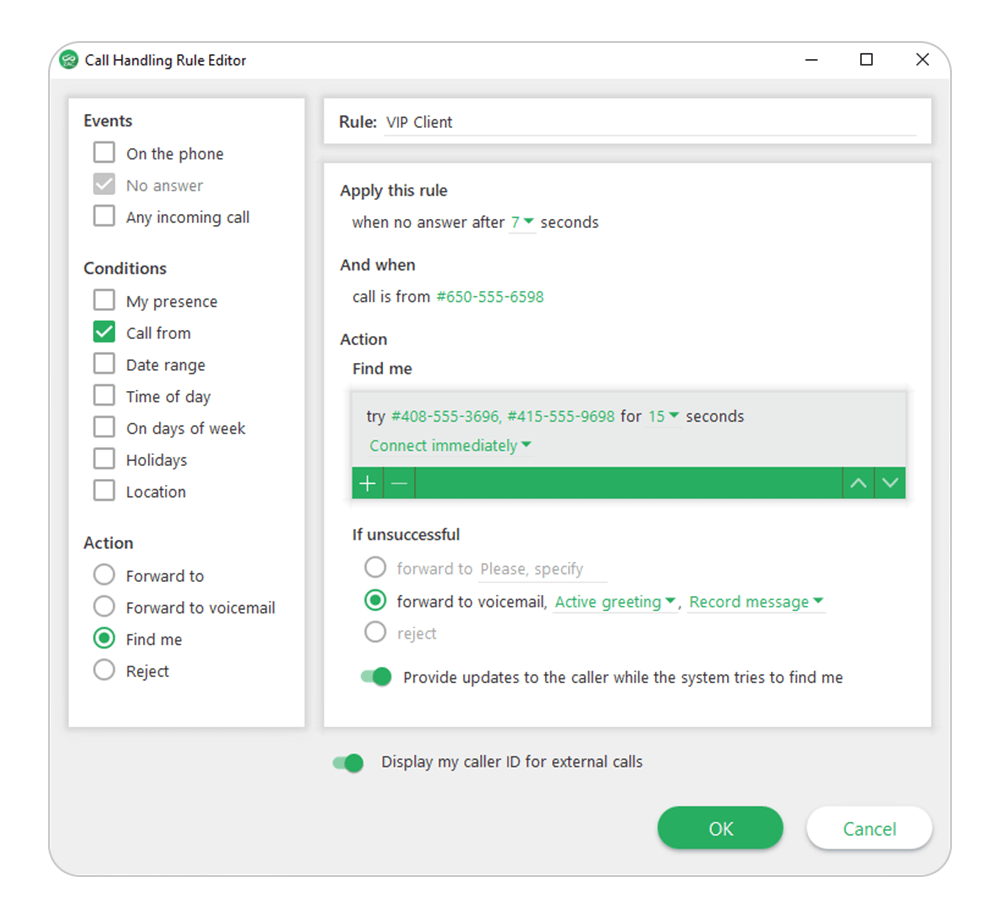
With ZAC, call handling rules can be configured that will automatically route incoming calls based on predetermined conditions, such as VIP status, ensuring that the callers who really matter will always reach a live person. For example, calls from VIP clients will always be sure to reach their account manager, by forwarding these clients’ calls to the manager’s cell phone. If the account manager is unavailable for some reason, calls will immediately redirect to another employee, dedicated to the VIP client.
The Find Me/Follow Me feature allows the system to call up to 16 different phone numbers to reach an employee for an important VIP phone call or to notify them of an urgent client message.
Smooth Journey From Desktop to Mobile
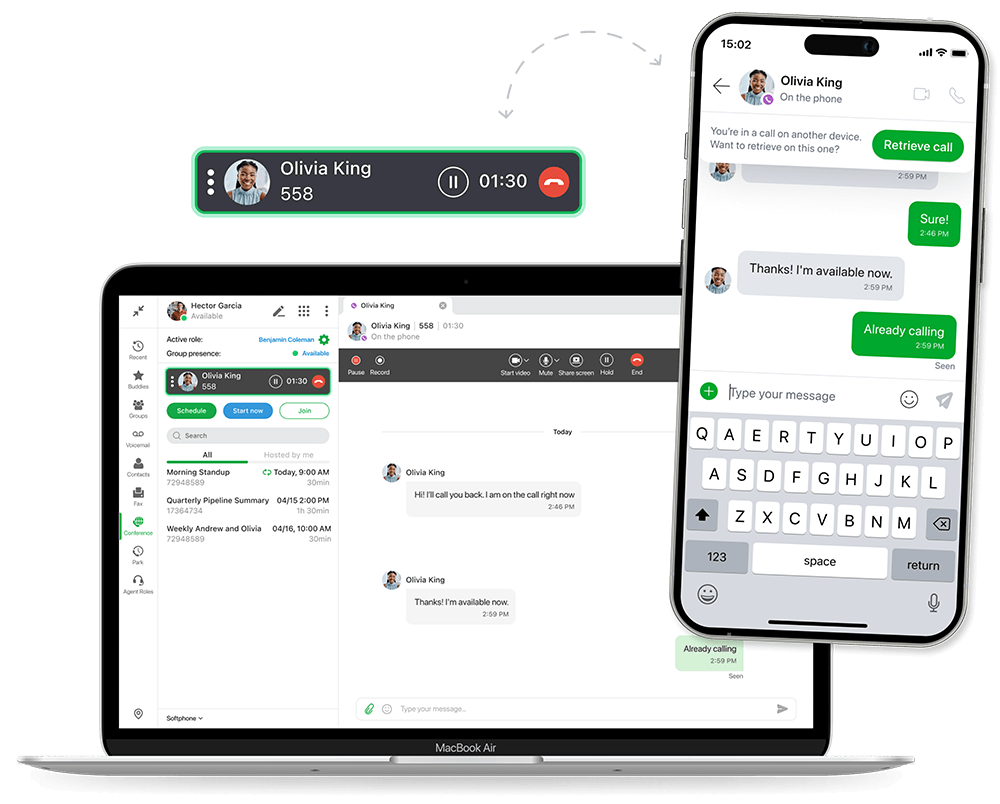
Mobile ZAC brings the agility that remote employees need to provide an exceptional customer experience. It works seamlessly with all applications of our UC, allowing users to easily push or pull calls between Mobile ZAC, desktop phones, or the computer softphone, when leaving or entering any location. Callers won’t even notice when devices are switched in mid-conversation.
Share Your Files and Your Screen
ZAC can do it all! Share files and your screen with coworkers in ZAC through an easy-to-use secure connection. No separate applications needed.
ZAC Desktop & Browser Key Features
- Record calls from any telephone or softphone
- “Start now” conference button enables on-demand conferences for internal and external participants, or schedule one-time, recurring, or ongoing conferences with up to 100 participants. Ongoing conferences can be started at any time.
- Pre-conference audio and video preview screen
- Invite internal and external conference attendees to join over email or by sharing a link via a text message. Internal participants can also access conference via “Join Now” button and typing the conference ID.
- View photos, presence indicator, and notes of all users
- Get a pop-up alert based on a coworker’s presence to immediately know when they are available (ZAC application only)
- MS Exchange / Outlook integration (ZAC application only)
- Send and receive e-faxes (ZAC application only)
- Screen pops display incoming caller information
- ScreenDialTM lets you call from any webpage, document, or electronic record
- Single log-in for Users, Operators, and Contact Center Agents
- Create call handling rules to manage call routing and simultaneous ringing
- MXconnectTM lets you make any phone your business phone
- Robust IM chats allow users to search for messages, forward or reply to the full message or a specific highlighted section of a message
- Send and receive SMS and MMS messages from ZAC
- Agents in Operator, ACD, and ICC groups can both send and receive SMS and MMS directly from their group role across all ZAC platforms, including desktop, web, and mobile, with advanced handling options
- Floating video window appears whenever a user moves from an active tab during a conference to enhance collaboration
- During a conference, users in softphone mode can select and change their audio devices directly from the call panel
- Group chat feature allows multiple employees to quickly and easily share IMs as a group, share files, and conveniently initiate audio and video conference calls with all group members
- Multi-party video is available for conference calls and group chat calls
- Collaborate with coworkers by sharing files and your screen either with individual users or within groups via secure IM sessions
- Invite contacts outside the organization to join chat sessions as temporary members with all the collaboration tools they need: screen share, file transfer, video, and audio calling
- Take notes during and after a business call with customized Call Attached Data (CAD) questioners. CAD notes are included with a call when it’s transferred to other users on the system.
- Handle calls through an easy-to-use interface and utilize intuitive drag-and-drop options to transfer calls
- Full support for Plantronics (for Web ZAC, this depends on the device’s audio capabilities)
- Zultys Flex is built into ZAC free of charge
- Single Sign-On (SSO) integration — SAML SSO has been developed and tested with Entra ID and ClassLink, with the potential to support other identity providers such as Okta, Duo, Auth0, and OneLogin
- Support for MFA for extra protection against unauthorized access
- Support for click-to-dial functionality in Zoho CRM and other web applications that use the TEL command
- Users can be organized and filtered by departments
- Share a specific monitor or application during screen sharing
- Support for SIP over TCP and TLS for ITSPs and SIP servers
ZAC Requirements
PC
- Version – Windows 10 (64-bit only), Windows 11 (64-bit only)
- RAM – 256 MB standard
- Processor – 1 GHz minimum
- Hard Drive Space – 200 MB
Mac
- Version – OS X v10.13 or higher (64-bit only)
- RAM – 1GB
- Processor – 1GHz Intel Core 2 Duo (64-bit)
- Hard Drive Space – 400 MB
Web
- Google Chrome version 110 or higher
- Mozilla Firefox version 116 or higher
- Microsoft Edge 110 or higher
- Safari 14.1 or higher (does not support Screenshare & DTMF)
Other
- MX software version 18.4
- ZAC license for each user
- Security certificate installed on the MX
Mobile ZAC Features
- Push notifications for call, message, and voicemail alerts.
- Single number contact with personal number privacy.
- Browse voicemail messages, recordings, and call logs.
- Corporate directory access with mobile presence and notes.
- Advanced call controls: hold, park, attended and unattended transfer.
- On-demand and automatic call recording supported.
- Add context to your chat with file sharing, images, and emoji.
- Place and receive calls over the mobile carrier network.
- Filter the company contact list by department.
- Support for SAML Single Sign-On (SSO).
- SMS, MMS, and Web Chat for call group agents.



