


Mobile ZAC 2.2 introduces support for AI-powered capabilities, bringing greater intelligence, accessibility, and insight to Zultys’ mobile app. Following feature parity with desktop ZAC and Web ZAC, users now benefit from consistent functionality regardless of device or location.
These enhancements extend AI-driven tools to the mobile experience, such as real-time closed captions and sentiment analysis, as well as live and post-call transcription, while also improving Mobile ZAC’s call log by consolidating call recordings and transcripts into one screen.
AI-enabled capabilities can be activated through Zultys AI Services — available with new ZCS Enhanced Bundles — or through a Bring Your Own (BYO) AI API key model, depending on deployment and configuration. To enable AI features for Mobile ZAC 2.2, Zultys AI Services and/or BYO API keys must be provisioned on an MX system running Release 19.0.15 or later.
This new version also includes enhancements such as the ability to view the presenter’s shared screen and access the system speed dials, along with improvements to messaging and notification management. Together, these updates make it easier for users to stay informed, participate fully in conversations, and access meaningful context from every interaction — all directly within Mobile ZAC.
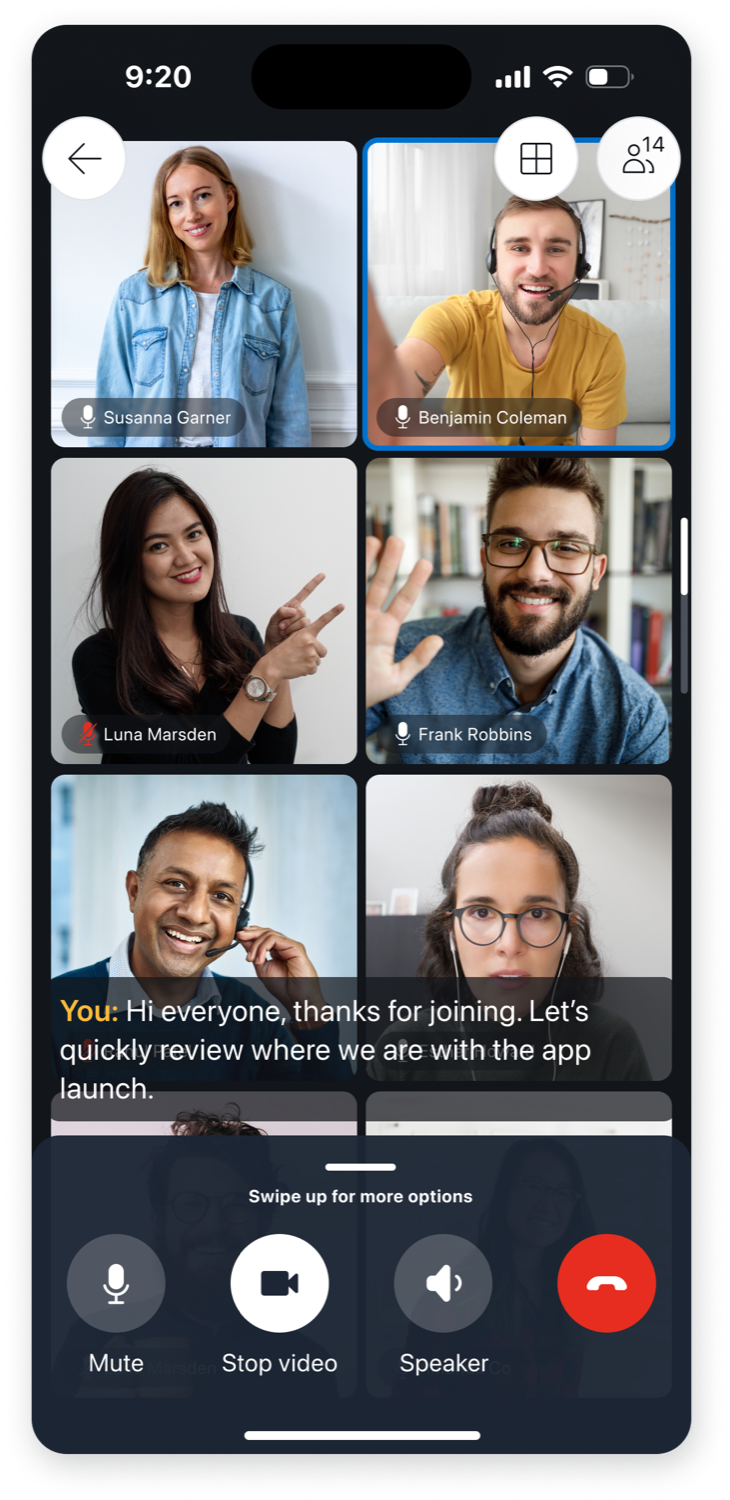
AI Closed Captions
Closed captions display spoken words as on-screen text in real time, making conversations easier to follow and understand. Available for one-to-one calls, conference calls, and call group calls, they help keep communication clear and accessible — whether users are in a noisy environment, multitasking, or hearing-impaired. Closed captions can also be configured at the user level to automatically save as a transcript when one-to-one calls end.
AI Transcription
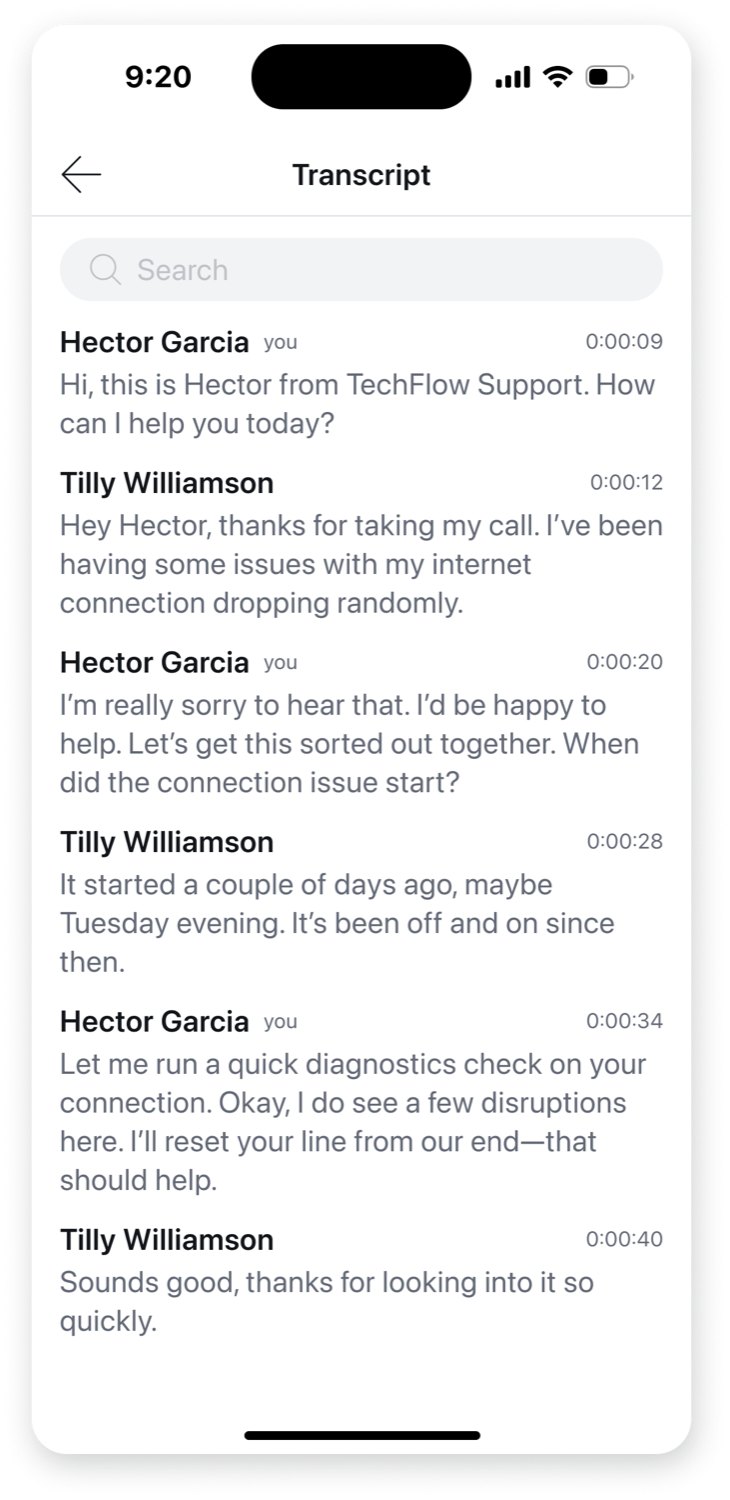
Live transcription converts spoken conversations into searchable written text in real time. Available for conference calls and call group calls, it provides full conversational context as it happens, and users can search for keywords within the transcript to quickly locate important moments. The transcript can be accessed directly in Mobile ZAC through the transcript view.
AI Post-Call Transcripts
Post-call transcripts provide a complete written record of a conversation after the call ends. Available for one-to-one calls, conference calls, and call group calls, transcripts allow users to review, search, and reference what was discussed, and can be downloaded for documentation, sharing, or future reference. Transcripts can be accessed directly in the call log. Users can search individual transcripts for exact keywords.
AI Sentiment Analysis
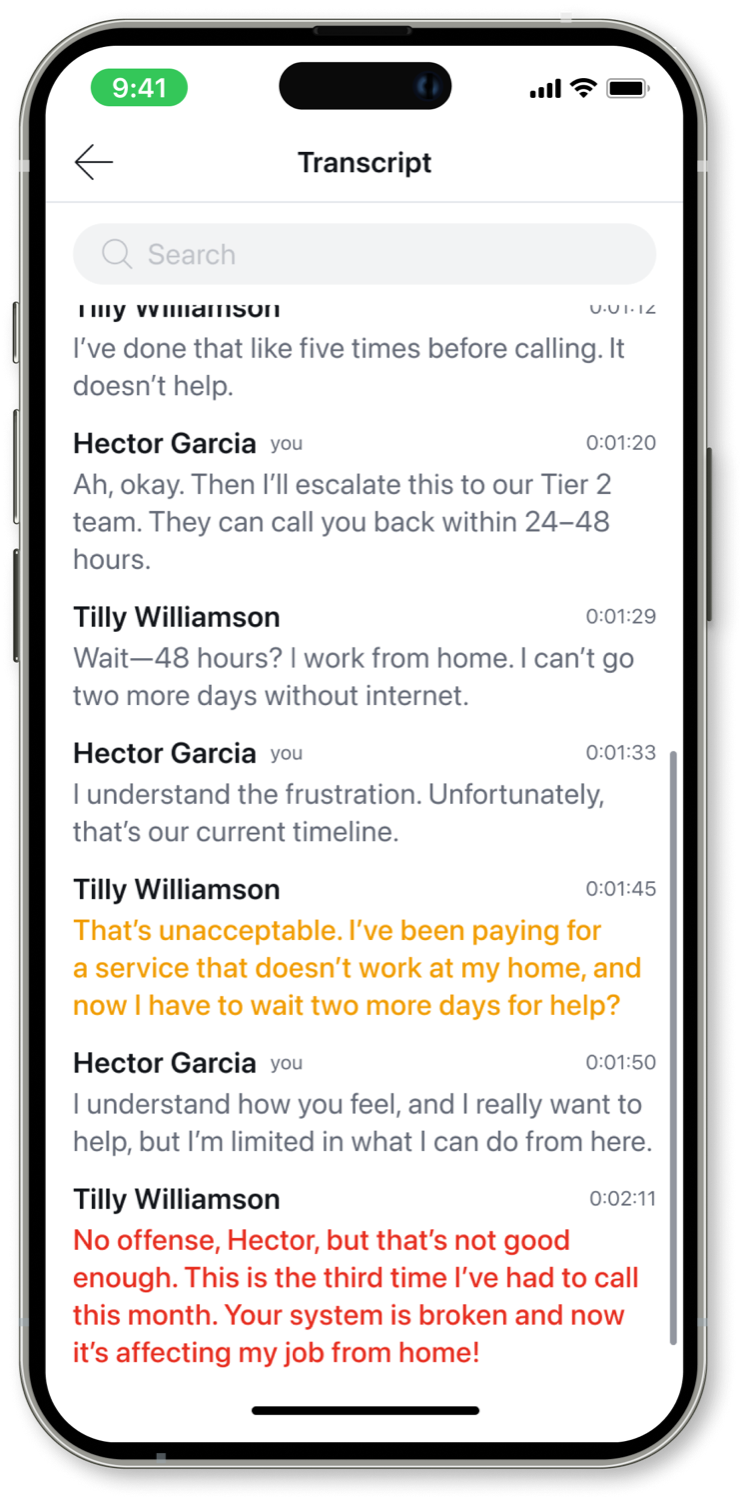
Sentiment analysis uses AI to evaluate conversation transcripts and detect when a caller’s experience may be turning negative. Available for ICC users, agents can see live sentiment insights directly within the transcript view on their mobile device as the conversation unfolds. If sentiment shifts to negative, supervisors can receive real-time pop-up alerts in the SuperView application, enabling them to step in quickly and support agents before issues escalate.
Enhanced User Call Log
Users can quickly access call interaction data from the call log, including Call Attached Data, call recordings, transcripts, and voicemails.
View Shared Screens
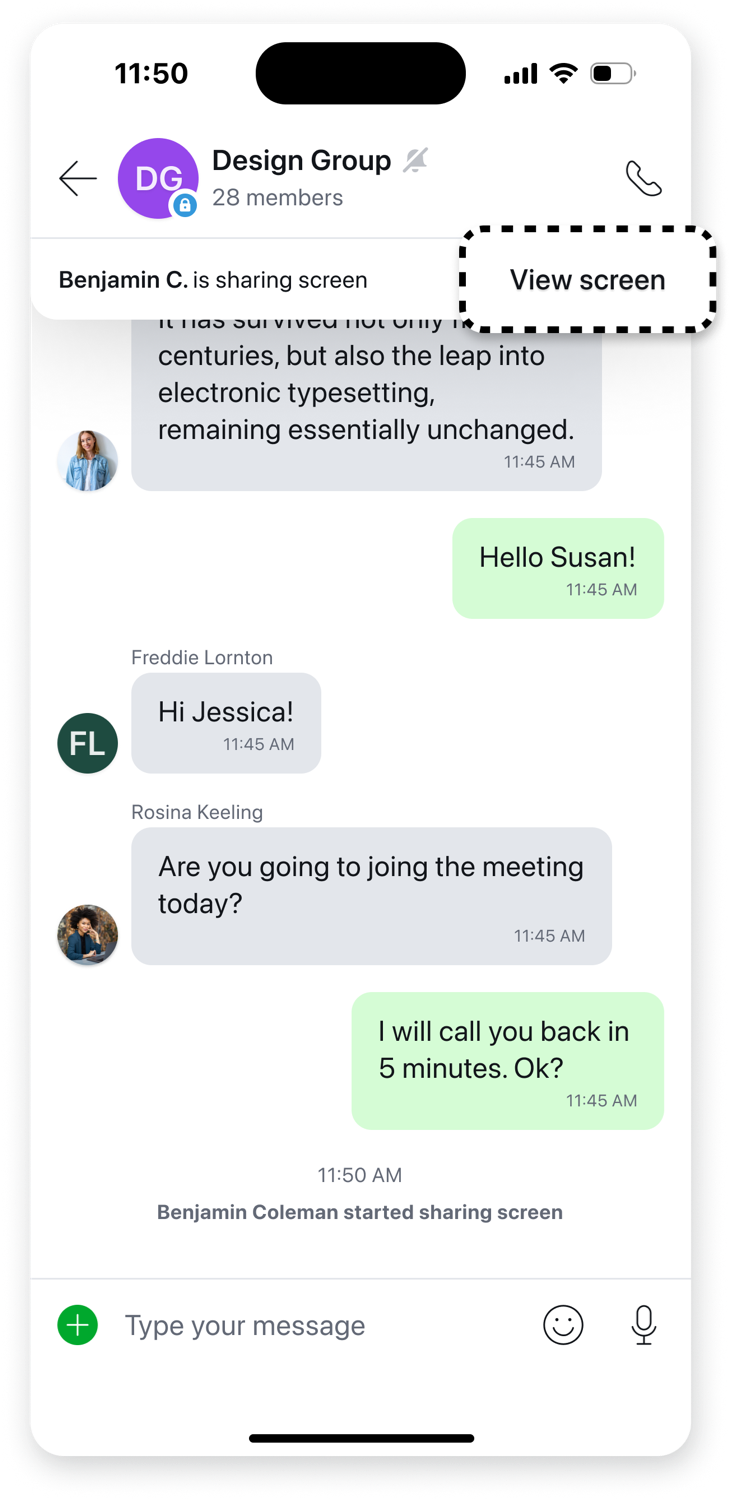
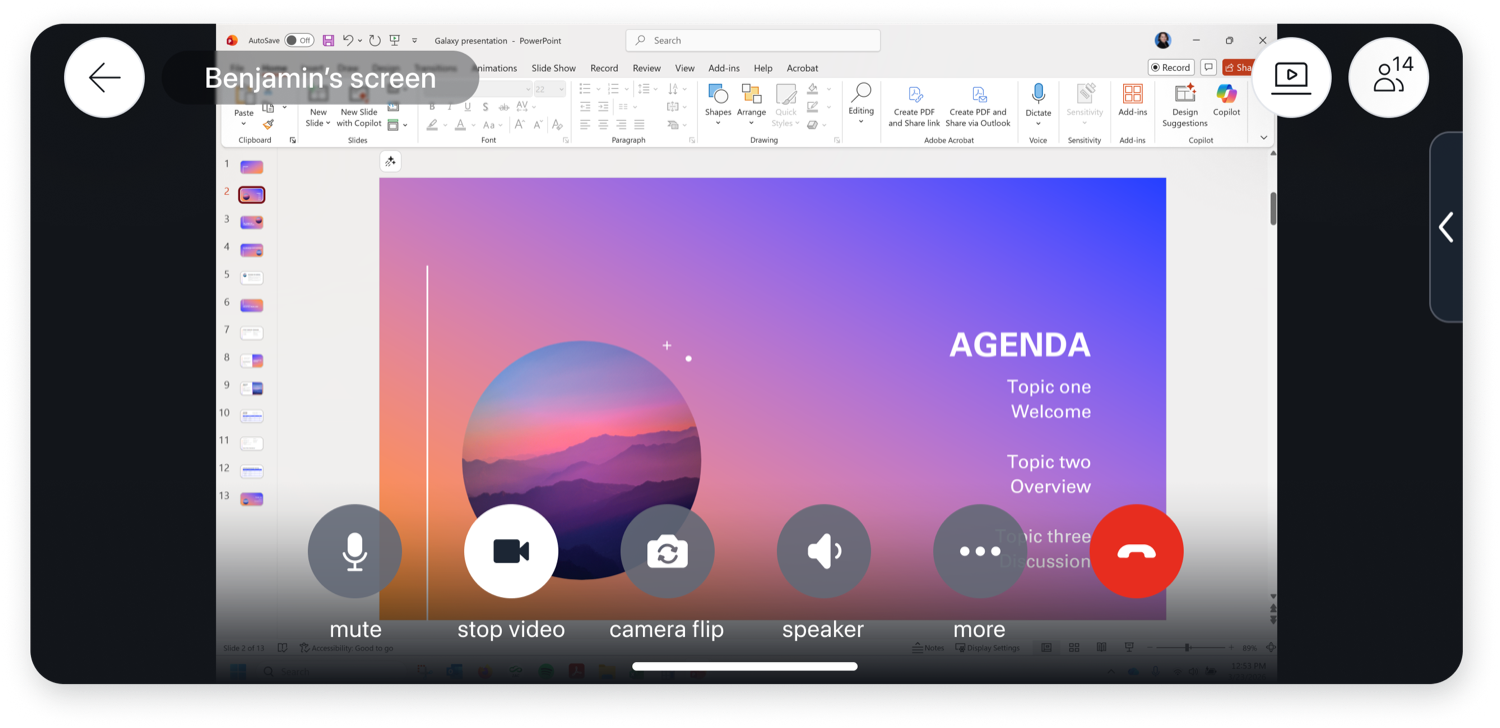
Mobile ZAC users can view desktop screens shared during one-on-one calls and conference calls, giving mobile attendees full visibility into meetings and the context they need to participate. When a desktop participant begins sharing their screen, Mobile ZAC users are presented with an option to view it directly within the call. The screen-sharing experience supports both portrait and landscape orientations — including left and right landscape modes — and automatically adapts to orientation changes during the conversation for a seamless viewing experience. The screen share view also supports zooming for a better viewing experience.
System Speed Dial Support
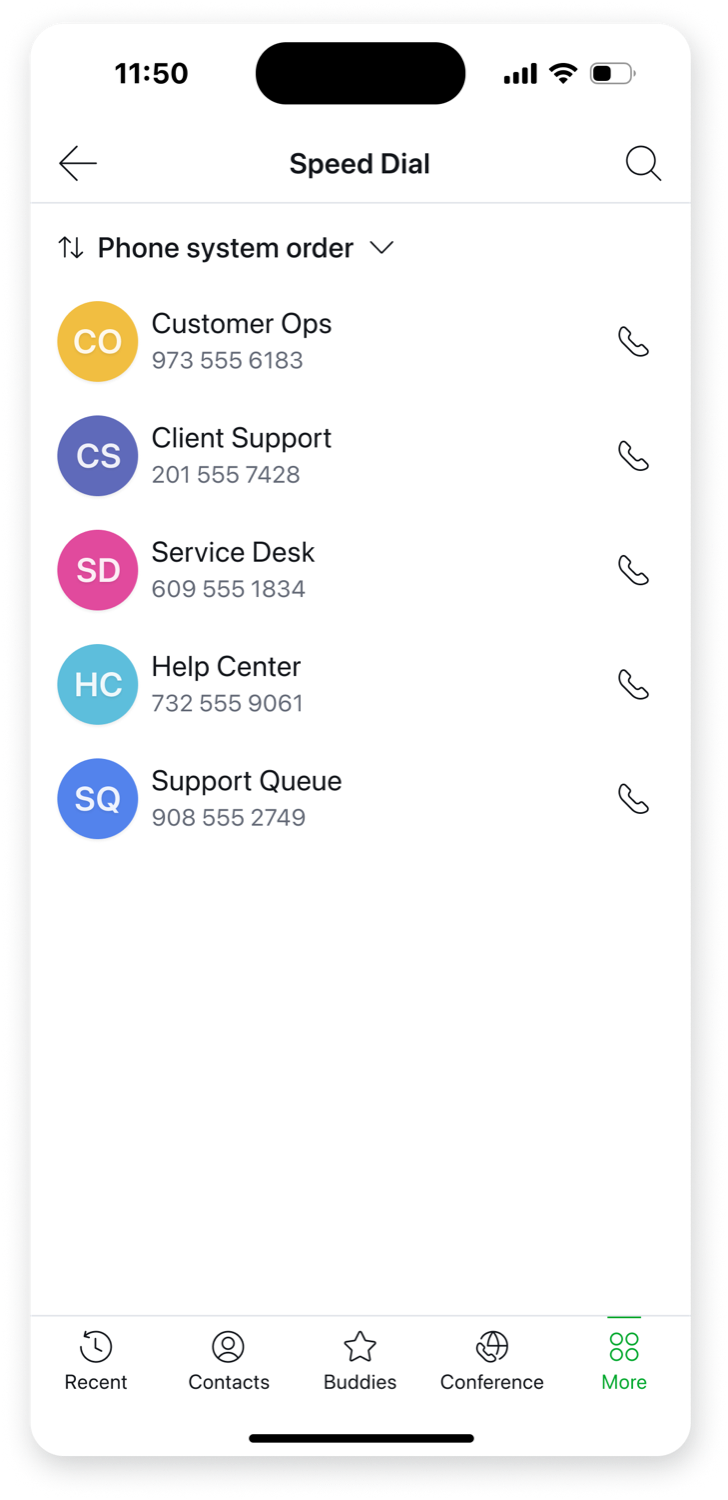
Mobile ZAC users have access to system speed dials configured in the MX system, allowing them to quickly dial or send SMS to preprogrammed numbers directly from the app under the More menu. This provides convenient access to commonly used contacts and shared organizational speed dials, improving efficiency and consistency across devices.
Additional Improvements
Mobile ZAC 2.2 also includes several usability and notification enhancements designed to streamline communication and improve the overall mobile experience.
- Ability to mute instant messages in chat groups and conferences: Users can now mute notifications for specific chat groups and conference conversations, helping reduce distractions while still allowing them to stay engaged and catch up on messages when needed. Muting chat groups and conferences is supported on MX Release 19 and newer versions.
- Support for MX Maintenance event instant messages: Mobile ZAC now delivers real-time notifications for MX maintenance events directly within the app, keeping users informed of system updates, scheduled maintenance, and important service-related alerts without needing to switch platforms.
- Simplified issue reporting process: Submitting diagnostic data is now streamlined and user-friendly, eliminating the need to dial *zultys#. Users can now click within Mobile ZAC to submit a form and then are taken to their email client, where they can attach any additional images or videos and then send it to Zultys, simplifying troubleshooting and accelerating support resolution.
- Notification Grouping: Consolidate Mobile ZAC notifications in your phone’s notification screen for incoming chats, texts, and webchats by grouping activity from the same sender, user, group, or conference — while also bundling voicemail and missed call notifications to reduce screen clutter.